Find the work. Win the work. Get paid.
Rendr is a Mac app for freelancers. It finds jobs that fit you, helps you pitch and propose, and keeps track of who owes you. Claude drafts the writing, you decide what goes out, and everything stays on your Mac.
macOS 12 or later · Apple Silicon and Intel · No account needed
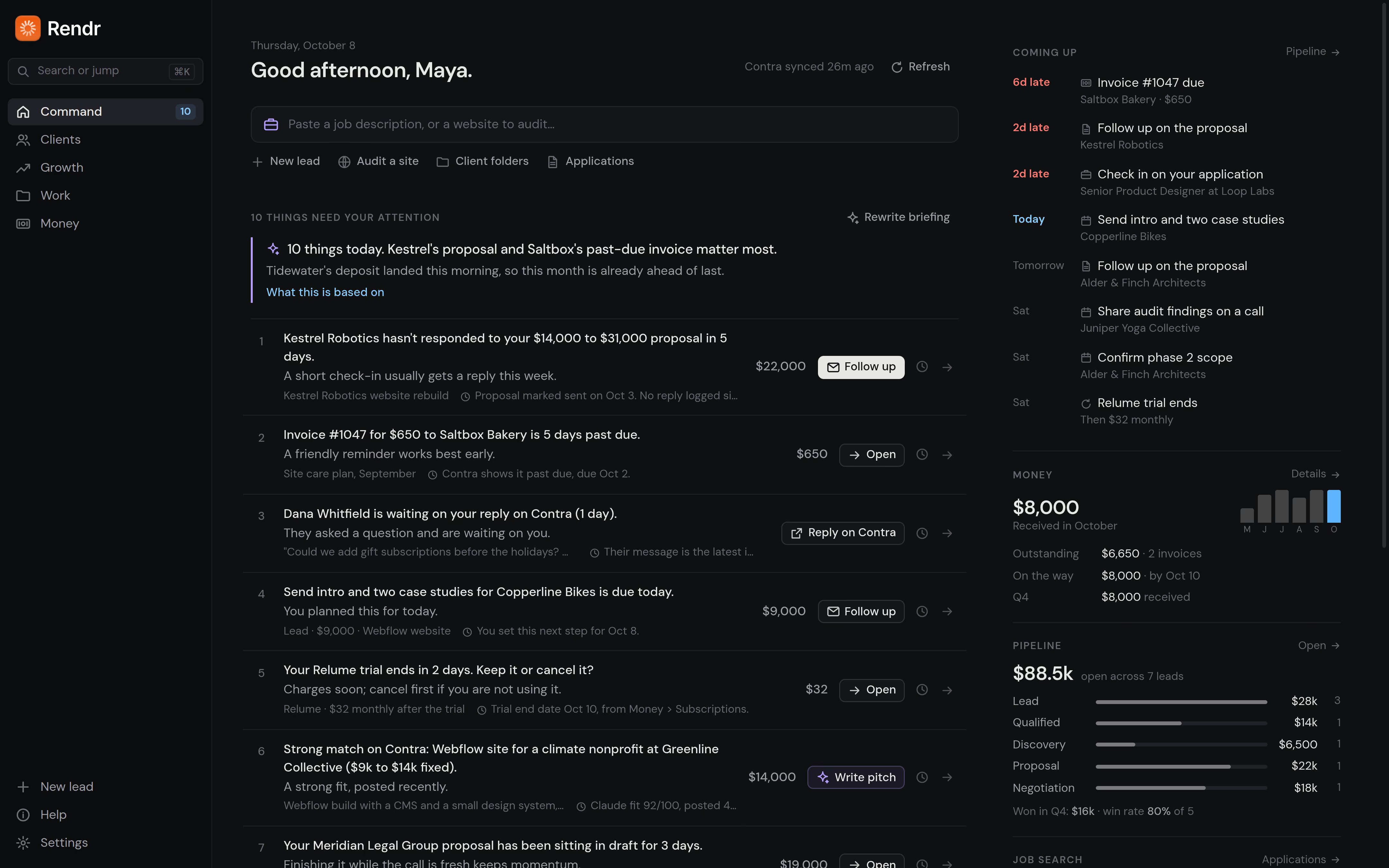
Before the project starts, and after it ends.
Rendr isn't a task board or a time tracker. Keep the tools you use to do the work. Rendr helps you find it, win it and get paid for it.
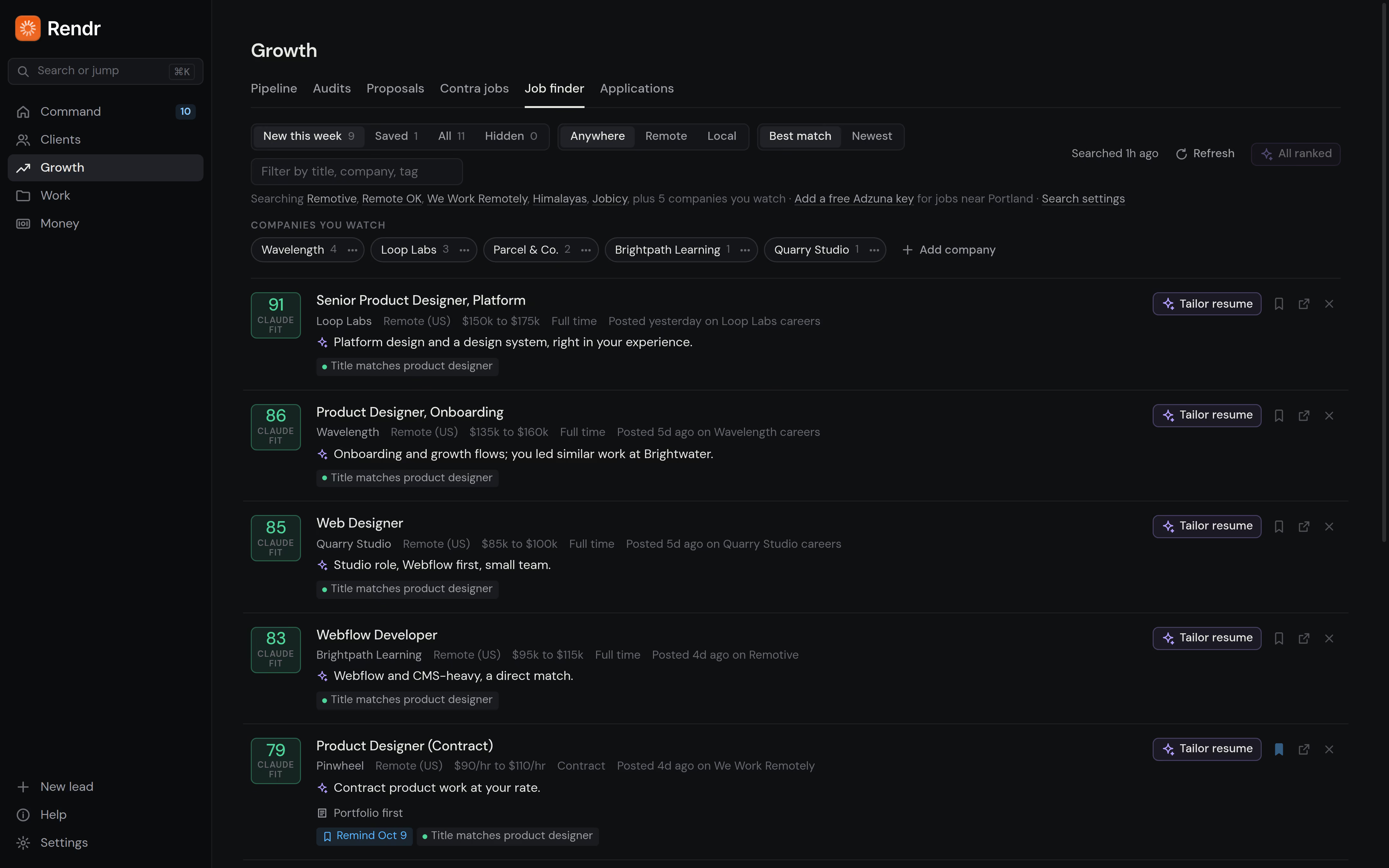
Jobs that fit you, found for you.
Rendr searches open job boards, the careers pages of companies you want to work for, and your Contra feed. It scores every posting against your resume and tells you why it fits. Save the good ones and get a reminder when it's time to apply.
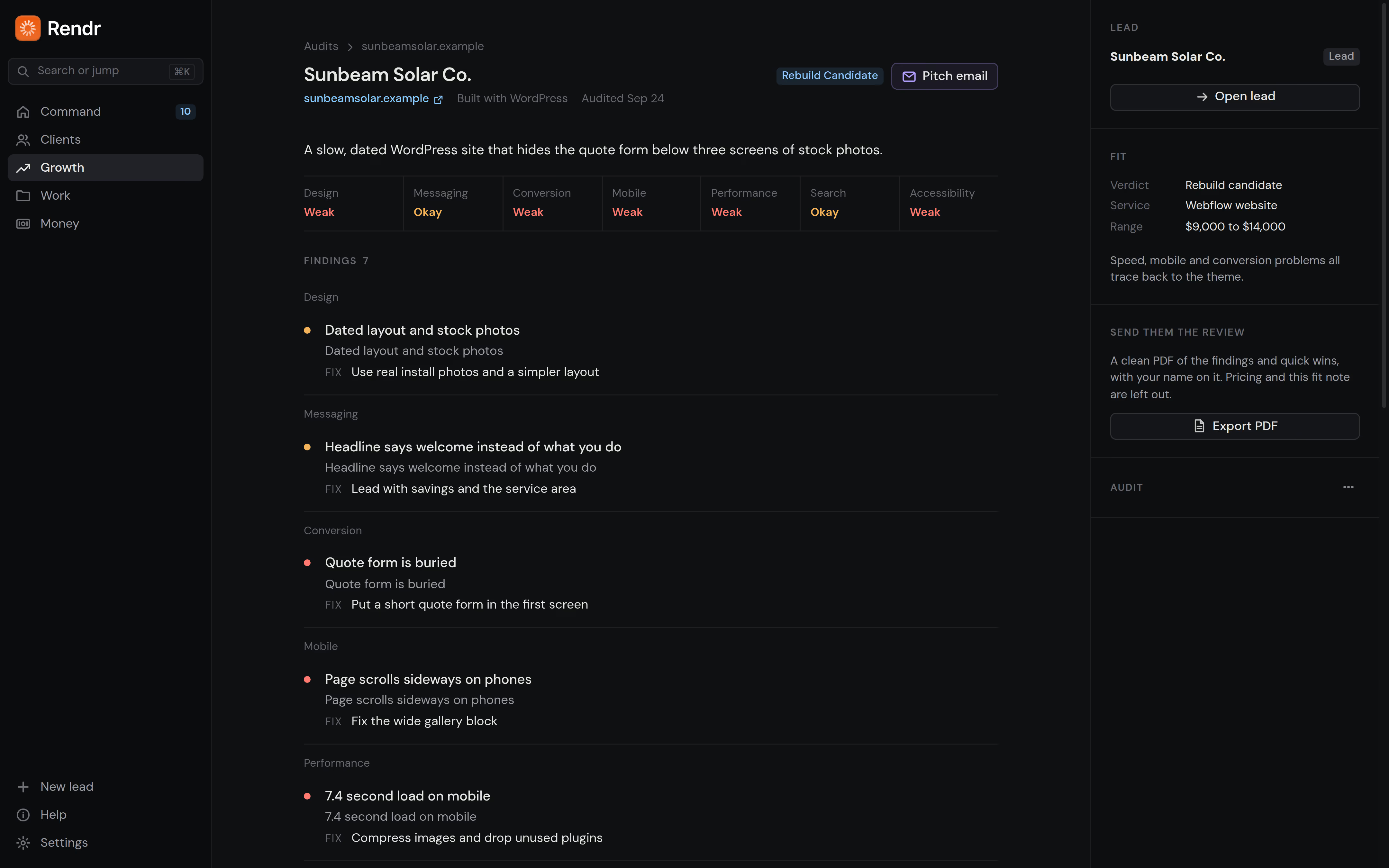
Find clients before they post a job.
Paste a business's website and Rendr checks its speed, search basics and accessibility on desktop and phone, then writes a review and a short outreach email you can send.
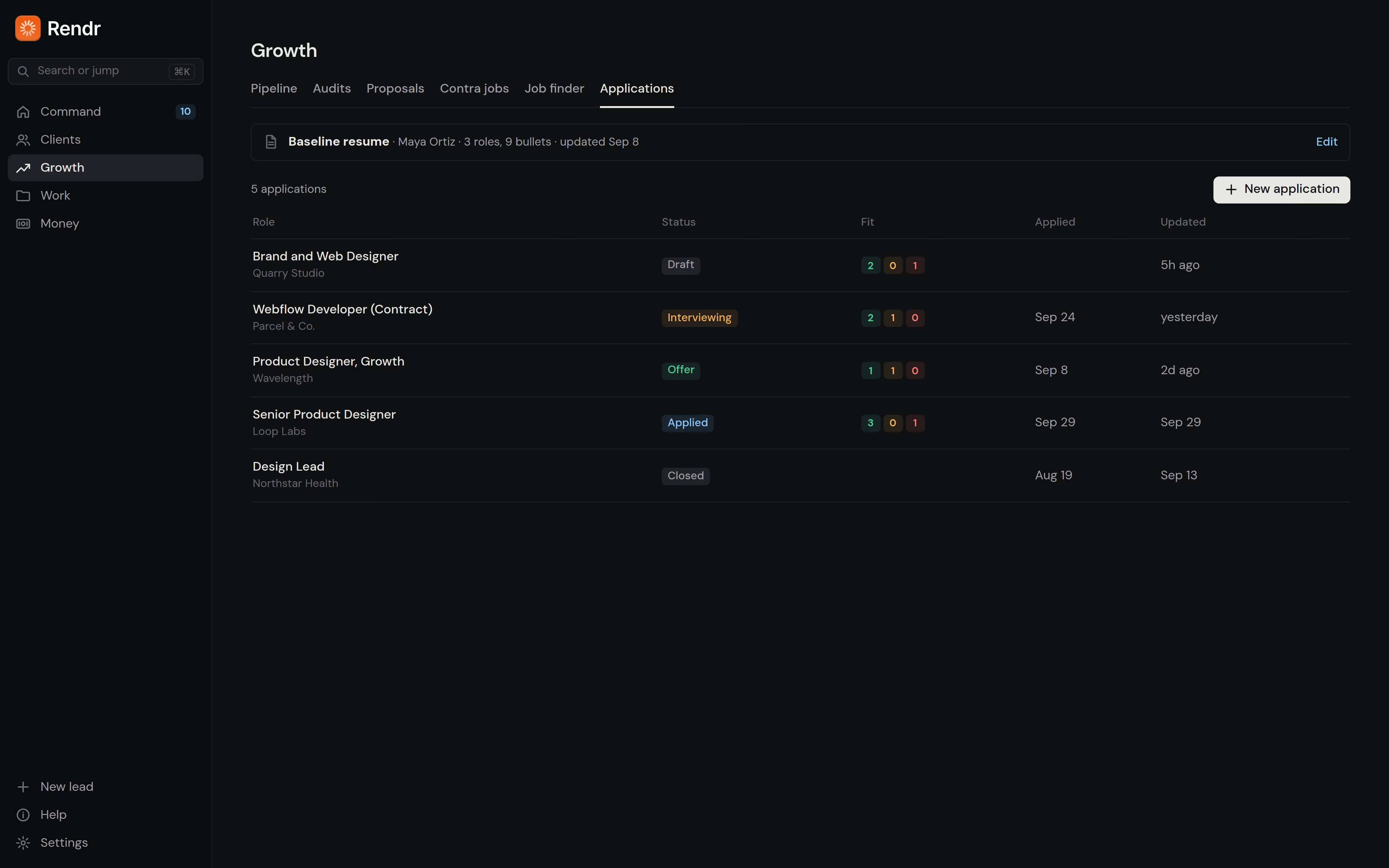
A tailored resume in a minute, with nothing made up.
Paste a job description and get a tailored resume, cover letter and answers to the application questions in about a minute. Every line comes from your real resume and shows where it came from.
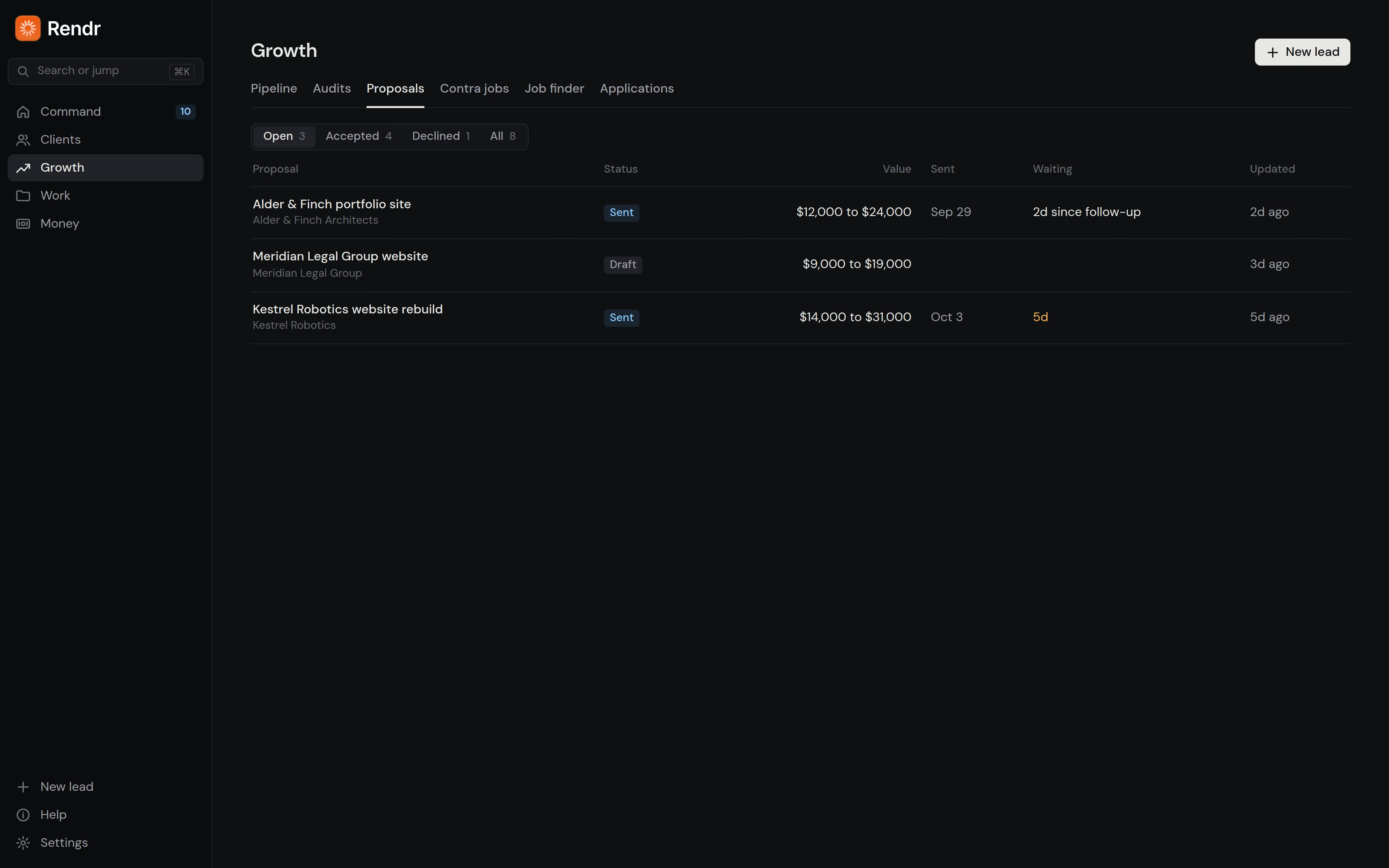
Pitch better, follow up on time.
Track every lead from first conversation to signed proposal. Rendr drafts proposals with packages and pricing based on your services and what clients have accepted before, and drafts the follow-up when a proposal goes quiet.
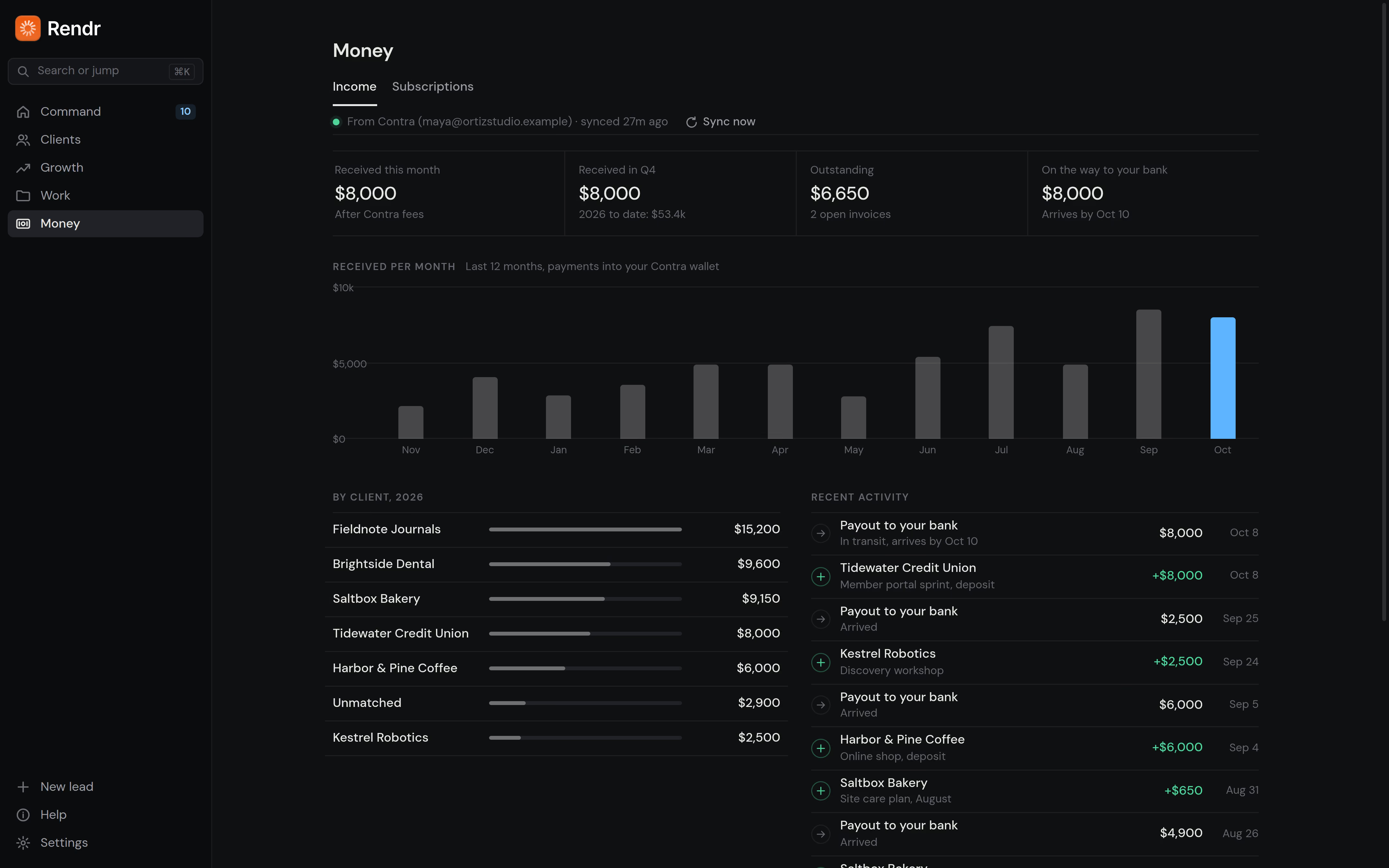
Know who owes you, and what you owe.
See what's come in this month, which invoices are open or overdue, and what's on the way to your bank, synced from Contra if you use it. Track every subscription you pay for, with a heads-up before renewals and trials end.
Your day, in order.
Command pulls it all together: the proposal that needs a nudge, the invoice that's late, the job you saved for today. Each item says why it's there, and a short briefing from Claude sums up the day.
Up and running in three simple steps.
Request access and install
Request a spot and you'll get the install file by email. A short setup asks what you do and which parts of Rendr you want to use.
Tell Rendr about yourself
Link Contra, pick a backup folder, and add a free Adzuna key for local jobs. Skip any of them now and connect them later.
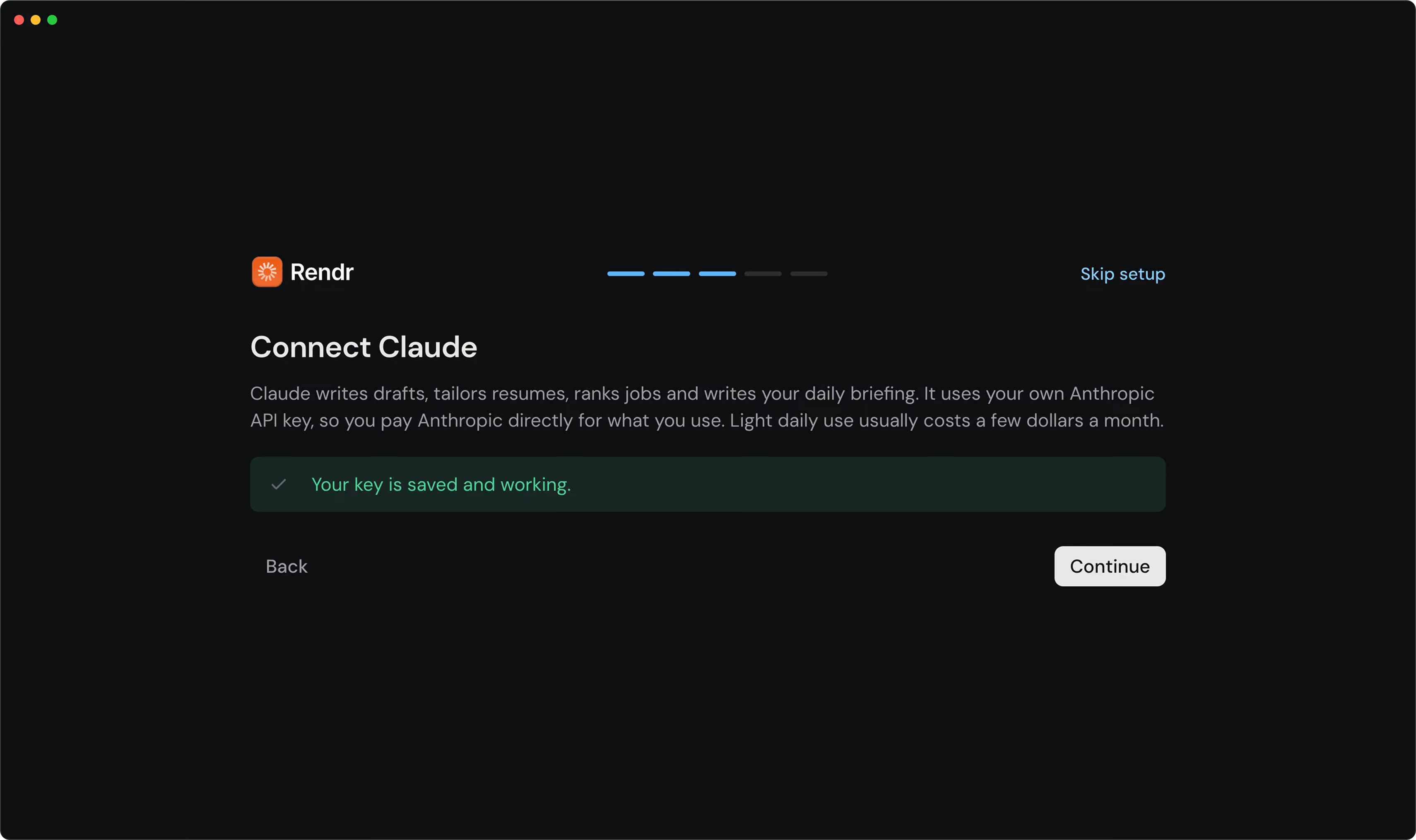
Add your Claude API key and resume
Setup shows you exactly where to get the key. Add your resume so Rendr knows your work. Everything else is optional.
Connect what you use
Link Contra, pick a backup folder, and add a free Adzuna key for local jobs. Skip any of them now and connect them later.
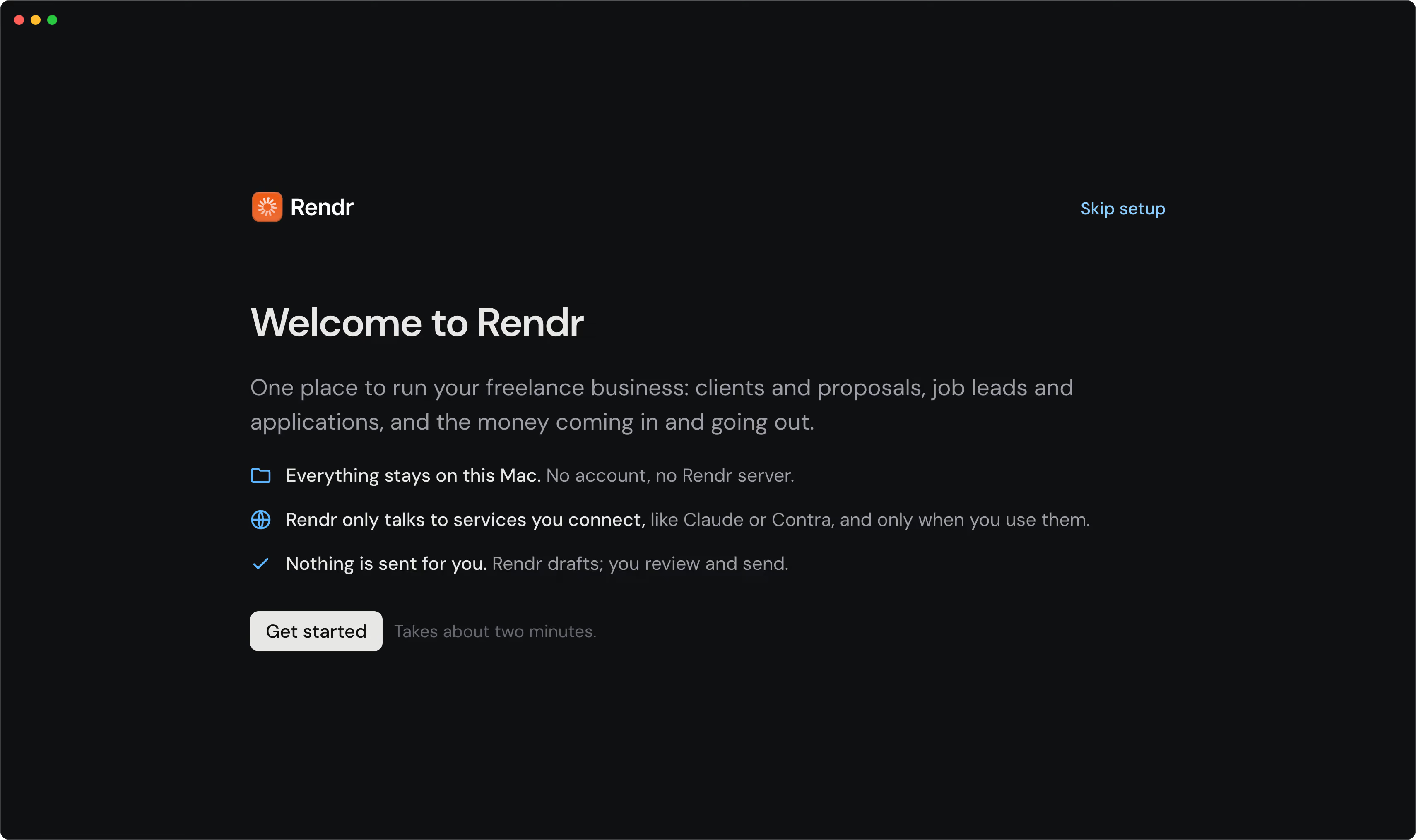
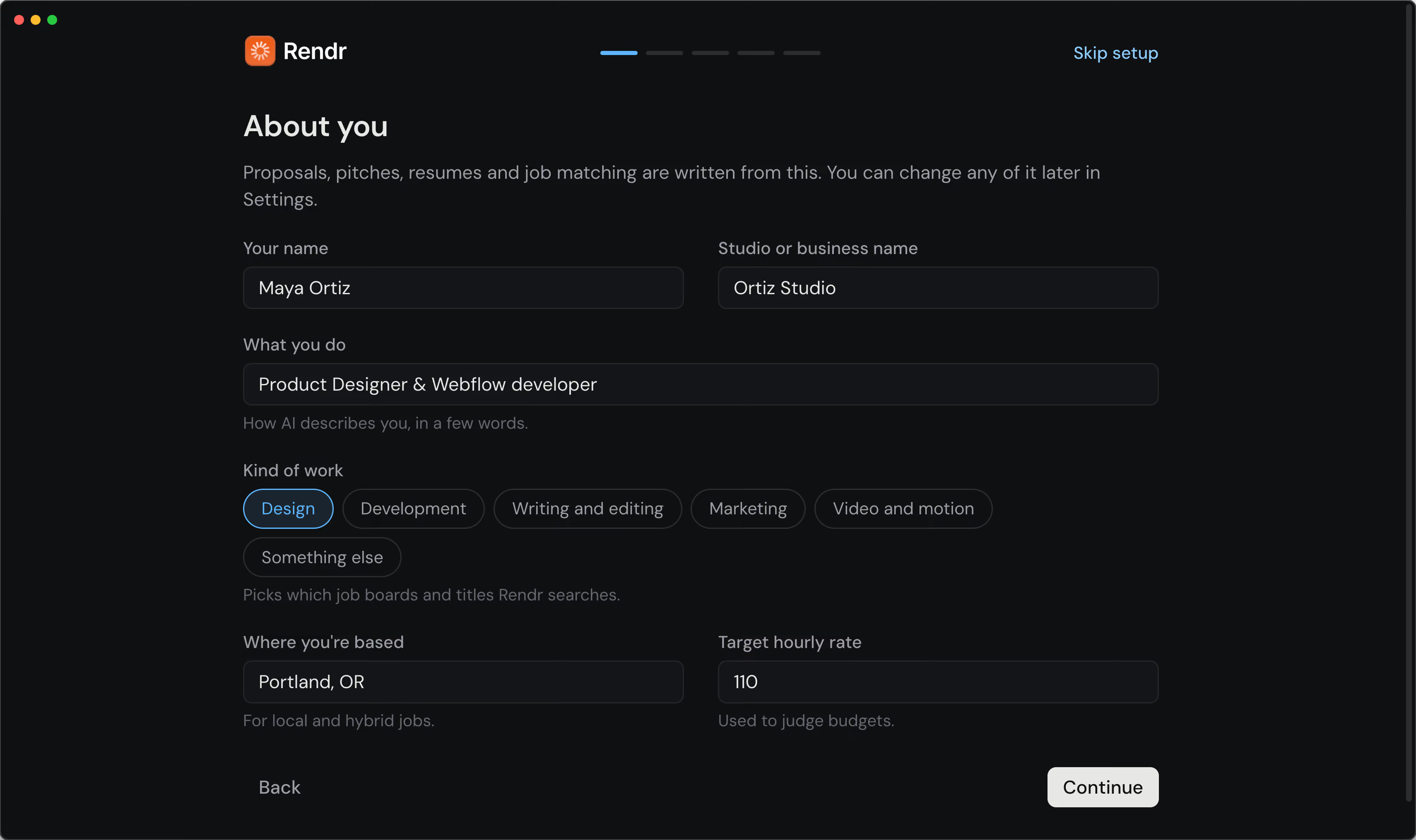
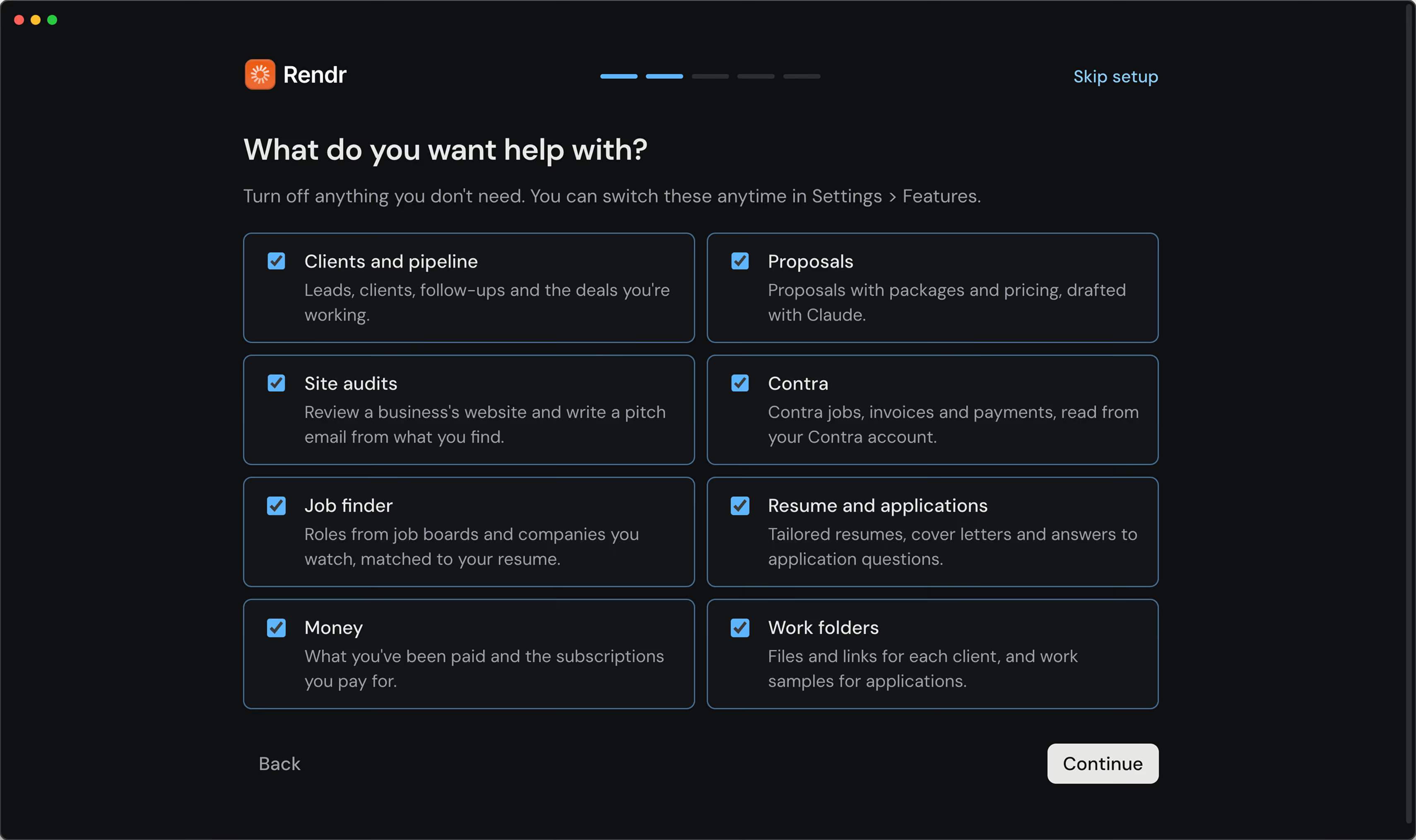
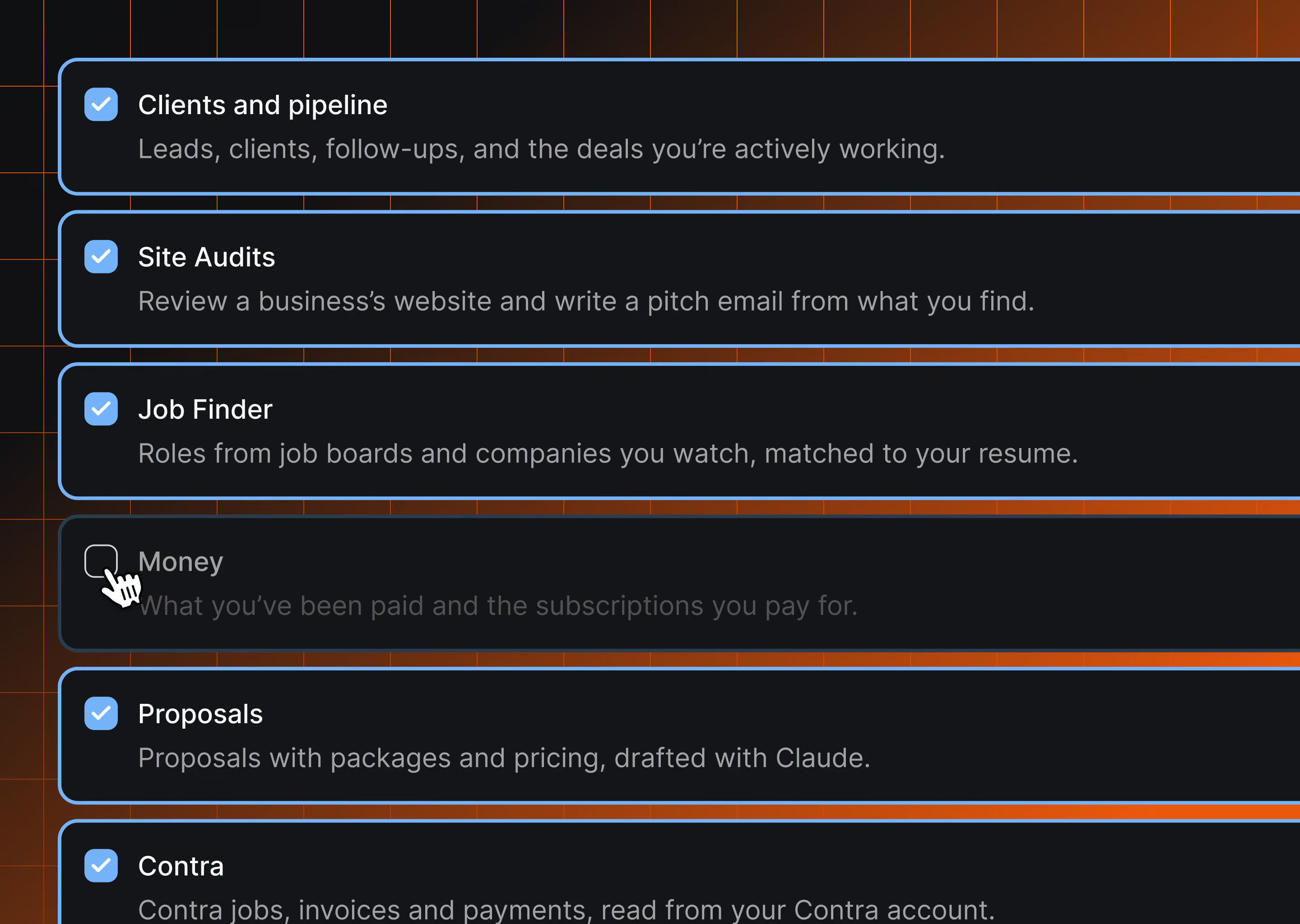
Only the parts you use.
Tell Rendr what you do and the kind of work you want, then turn off anything you don't need. A writer won't see site audits. A designer who doesn't use Contra won't see Contra. Nothing is deleted when you switch something off.
Your business stays on your Mac.
No account, no cloud.
Rendr is an app, not a website. There's nothing to sign up for and no Rendr server. Everything lives on your Mac, and backups go to a folder you choose, like iCloud Drive or Dropbox.
Your own Claude API key.
AI features use your own Claude API key from Anthropic, kept in your Mac's keychain. Rendr only sends what a task needs, when you use it.
Nothing is sent for you.
Rendr drafts emails, pitches and applications. You review them and send them yourself. It reads Contra; it never applies, messages or bills for you.
All your questions answered.
Requirements
- A Mac with macOS 12 (Monterey) or later, Apple Silicon or Intel
- A Claude API key from Anthropic for AI features. You pay Anthropic directly for what you use; light daily use usually costs a few dollars a month. Everything except AI features works without one.
- Optional: a Contra account, a free Adzuna key for local job listings, and an iCloud Drive, Dropbox or Google Drive folder for backups
Is Rendr free?
Yes, during the beta.
Does Rendr replace my project management tool?
No. Rendr covers finding work, winning it and getting paid. Keep whatever you use for tasks, time and files during a project.
Do I need Contra?
No. Connecting it brings in your Contra jobs, invoices and payments. Without it, you can turn the Contra parts off.
Does Rendr send emails or apply to jobs for me?
No. It drafts, you send. It only reads from Contra and never applies, messages or bills on your behalf.
Where is my data?
On your Mac, in a single database file, plus daily backups to a folder you pick. There's no account and no Rendr server. You can export everything or delete everything from Settings.
What does the Claude API key cost?
Will it make things up on my resume?
No. Tailored resumes and answers only use what's in your baseline resume, and every line shows where it came from.
How do updates work?
Rendr checks for new versions, downloads them in the background, and asks before restarting. Release notes are linked in Settings.
Is there a Windows version?
Not yet, but it's planned. Rendr is Mac only while the beta is underway. A Windows version is on the roadmap. If you're on Windows, request access anyway and mention it in the form. You'll get an email when there's a version you can try.
Request beta access.
Rendr is in a small private beta. Leave your details and you'll be added to the waitlist.
Free during the beta · macOS 12 or later